Keep track of your borrowing history using this great new feature in the Library catalogue
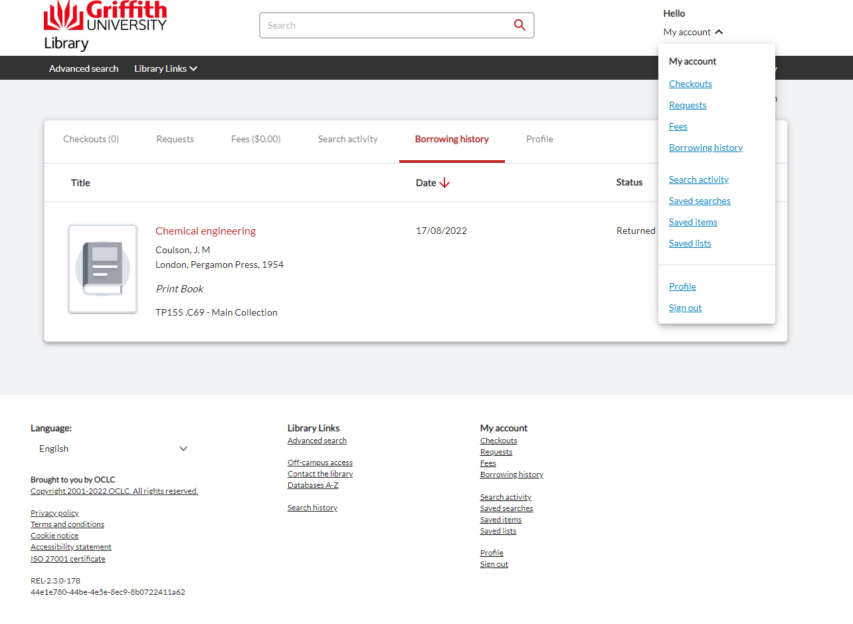
Would you like to keep track of the books you’ve borrowed from the Griffith Library? You can now opt-in to viewing your borrowing history and access it through the Borrowing history link via My Account on the Griffith Library catalogue.
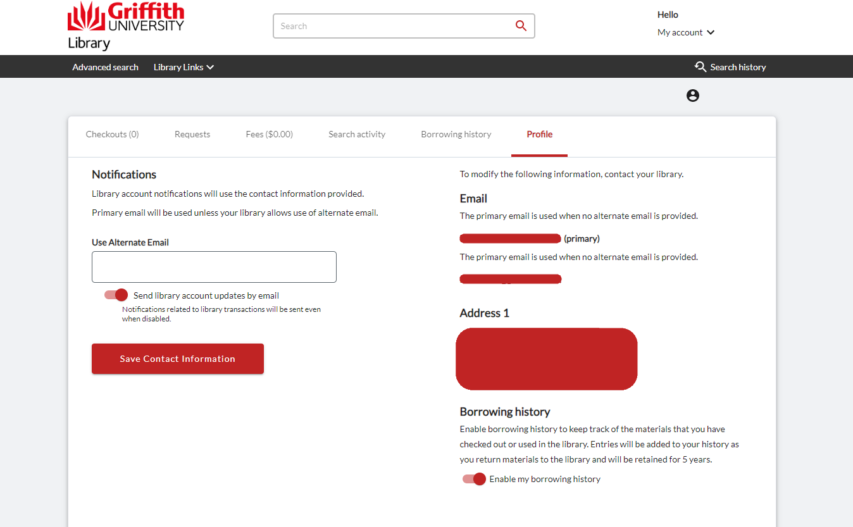
To opt-in, simply sign in and navigate to My Account > Profile and toggle Enable my borrowing history.
Items will be added to your history as you return them to the Library. The item details will be available for 5 years. Once you’ve returned an item, view your history by going to My Account > Borrowing history.
If at any time you’d like to opt-out, un-toggle the option in My Account > Profile and your borrowing history will be deleted.
For further information, you can contact us via chat, phone or email.